
• Home
  • Mobile Tips
  • Reviews
  • Telecom Guides
  • Best AI apps
  • Latest Phone Reviews
  • Phone Prices in Nigeria
My Blog
  • Home
  • Mobile Tips
  • Reviews
  • Telecom Guides
  • Best AI apps
  • Latest Phone Reviews
  • Phone Prices in Nigeria
No Result
View All Result
  • Home
  • Mobile Tips
  • Reviews
  • Telecom Guides
  • Best AI apps
  • Latest Phone Reviews
  • Phone Prices in Nigeria
No Result
View All Result
My Blog
No Result
View All Result
Home MTN

How to Borrow Airtime on MTN Nigeria (2026 Guide)

ainet by ainet
June 25, 2026
in MTN, Telecom Guides
0
How to Borrow Airtime on MTN Nigeria
547
SHARES
3.6k
VIEWS
Share on FacebookShare on Twitter

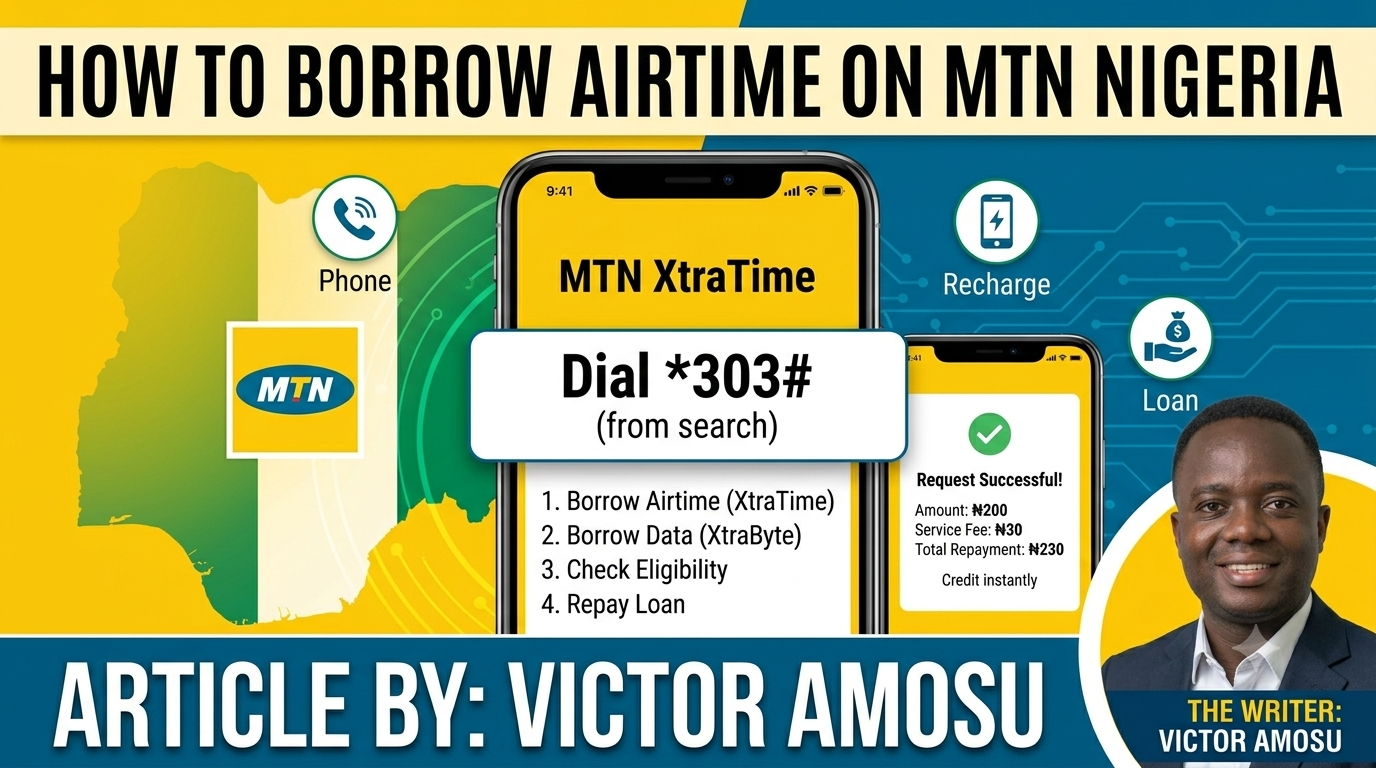
Running out of airtime when you need to make an urgent call can be frustrating. Fortunately, MTN Nigeria allows eligible prepaid subscribers to borrow airtime through its MTN XtraTime service and repay it later when they recharge.

MTN Airtime Borrowing Code

The current MTN code for borrowing airtime is:

*303#

Simply dial the code and follow the on-screen prompts to request airtime.

How to Borrow Airtime on MTN

Method 1: Using USSD Code

  1. Dial *303#
  2. Select XtraTime
  3. Choose the airtime amount you want to borrow
  4. Confirm your request
  5. Receive the airtime instantly if you are eligible.

Method 2: Direct Borrowing Code

You can also use:

*303*Amount#

Examples:

  • *303*100# – Borrow ₦100
  • *303*200# – Borrow ₦200
  • *303*500# – Borrow ₦500

Availability depends on your borrowing limit.

Who Can Borrow Airtime on MTN?

To qualify for MTN XtraTime, you must:

  • Be an MTN prepaid customer
  • Have a registered MTN SIM
  • Have used the line for at least 30 days
  • Have recharged recently
  • Meet MTN’s usage and eligibility requirements.

How to Check Eligibility

You can check whether you’re eligible by:

  • Dialing *303# and selecting Check Eligibility
  • Sending STATUS to 303
  • Call 303 and follow the voice prompts.

Service Charge

MTN charges a 15% service fee on borrowed airtime. The fee is deducted before the airtime is credited to your account.

Example:

  • Borrow ₦100
  • Service fee = ₦15
  • Airtime credited = ₦85
  • Amount to repay = ₦100.

Available Borrowing Amounts

Depending on your recharge history and eligibility, you may be able to borrow:

  • ₦25
  • ₦50
  • ₦100
  • ₦200
  • ₦400
  • ₦500
  • ₦750
  • ₦1,000
  • ₦1,500
  • ₦2,000
  • ₦3,000
  • ₦5,000.

How Repayment Works

Once you recharge your MTN line, the borrowed airtime amount is automatically deducted from your recharge before the remaining balance is credited to your account.

FAQ

What is the code to borrow airtime on MTN?

Dial *303# and follow the prompts to borrow airtime

How much can I borrow from MTN?

Eligible customers can borrow between ₦25 and ₦5,000, depending on their recharge history

What is the MTN XtraTime service fee?

MTN charges a 15% service fee on borrowed airtime.

Can I borrow airtime if I already owe MTN?

You generally need to repay existing airtime loans before accessing new airtime advances.
Previous Post

How to Check MTN Data Balance in Nigeria (2026 Guide)

Next Post

How to Share Airtime on MTN in Nigeria (2026 Guide)

Next Post
MTN Transfer Code

How to Share Airtime on MTN in Nigeria (2026 Guide)

Leave a Reply Cancel reply

Your email address will not be published. Required fields are marked *

Popular Tag

5G phones Nigeria cheap smartphones Nigeria Samsung Nigeria phones Tecno phones Nigeria Infinix smartphones mobile phones Nigeria 2026 A21 chip Airtel borrow credit code Airtel credit service suspended all-glass iPhone design Android Android Tips Android Tips Mobile Data Android Internet Problems Cellular Data Android Fixes Network Troubleshooting Smartphone Tips Apple 20th anniversary iPhone Battery Drain Android Battery iPhone Battery Smartphone Tips Battery Saver Mobile Problems Phone Battery Life Tech Guides iPhone 20 Pro specs Mobile Fix MTN borrow airtime code not working phone overheating android tips iphone tips battery problems smartphone issues phone repair mobile troubleshooting Phone Speed send HD photos on WhatsApp WhatsApp image quality fix send photos without compression WhatsApp WhatsApp document image method slow charging phone fix phone charging problem solution android charging slowly fix fast charging tips battery charging issues Smartphone Optimization Tech Gui WhatsApp tips data recovery Android tips iPhone tricks messaging apps WhatsApp backup tech guide
  • About
  • Advertise
  • Privacy & Policy
  • Contact

© 2026 JNews - Premium WordPress news & magazine theme by Jegtheme.

No Result
View All Result
  • Home
  • Mobile Tips
  • Reviews
  • Telecom Guides
  • Best AI apps
  • Latest Phone Reviews
  • Phone Prices in Nigeria

© 2026 JNews - Premium WordPress news & magazine theme by Jegtheme.