


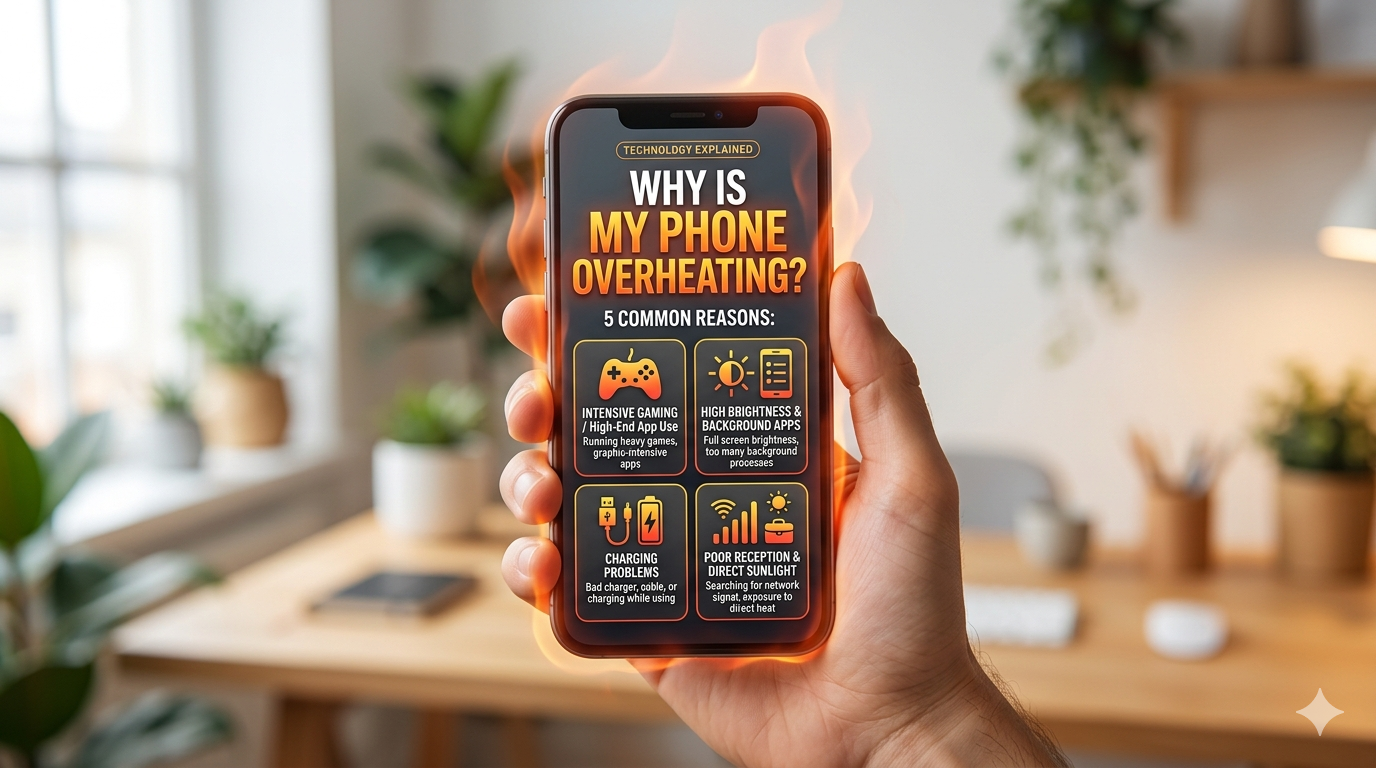
Smartphones are designed to generate some heat during normal operation, but excessive heat can affect performance, reduce battery life, and even damage internal components. If you’ve been asking yourself, “Why is my phone overheating?”, you’re not alone.
Whether you own an Android device or an iPhone, overheating can occur for several reasons, including heavy usage, software issues, charging problems, or environmental conditions.
In this guide, we’ll explain the common causes of phone overheating and show you how to fix and prevent it.
What Temperature Is Considered Too Hot for a Phone?
Most smartphones operate normally between 32°F and 95°F (0°C to 35°C). When internal temperatures rise beyond this range, your device may:
- Become unusually warm to the touch.
- Slow down or lag.
- Display overheating warnings.
- Stop charging temporarily.
- Shut down automatically.
Occasional warming is normal, but persistent overheating is a sign that something needs attention.
1. Running Too Many Apps at Once
One of the most common reasons a phone overheats is having too many applications running simultaneously.
Background apps consume:
- CPU resources
- RAM
- Battery power
This increased workload generates heat.
How to Fix It
- Close unused apps.
- Disable unnecessary background processes.
- Restart your device regularly.
- Uninstall apps you no longer use.
2. Extended Gaming Sessions
High-performance mobile games place significant demands on your phone’s processor and graphics chip.
Games such as:
- PUBG Mobile
- Call of Duty Mobile
- Genshin Impact
- Free Fire
can cause your phone to heat up after prolonged use.
Solutions
- Reduce graphics settings.
- Take breaks during gaming.
- Remove thick phone cases while gaming.
- Avoid charging while playing.
3. Charging Your Phone Incorrectly
Charging naturally generates heat. However, overheating during charging may indicate:
- Using fake chargers.
- Faulty charging cables.
- Fast charging for extended periods.
- Damaged batteries.
How to Prevent Charging Heat
- Use the original charger.
- Buy certified accessories.
- Avoid using your phone heavily while charging.
- Disconnect once fully charged.
4. Direct Sunlight and Hot Environments
Leaving your phone in:
- A parked car
- Direct sunlight
- Near windows
- Hot rooms
can quickly raise its temperature.
What to Do
- Move the device to a cool area.
- Remove the case temporarily.
- Allow it to cool naturally.
- Avoid placing it inside refrigerators or freezers, as sudden temperature changes may damage internal components.
5. High Screen Brightness
Keeping brightness at maximum consumes more power and produces additional heat.
Recommended Fix
- Enable Adaptive Brightness.
- Reduce screen brightness manually.
- Use Dark Mode when possible.
6. Software Bugs and Outdated Apps
Sometimes overheating isn’t caused by hardware but by software glitches.
An app may:
- Crash repeatedly.
- Consume excessive CPU power.
- Drain the battery rapidly.
How to Fix Software Problems
Update Apps
Open:
- Google Play Store (Android)
- App Store (iPhone)
and install available updates.
Update Your Operating System
Manufacturers frequently release updates that improve thermal management.
7. Battery Problems
An aging or damaged battery is another major cause of overheating.
Signs of battery issues include:
- Rapid battery drain.
- Phone heating even when idle.
- Unexpected shutdowns.
- Battery swelling.
Solution
If your battery is old or damaged, replacement is often the best option.
Avoid puncturing or using swollen batteries.
8. Poor Network Signal
When your phone struggles to maintain a connection, it uses more power.
Weak signals force the device to continuously search for:
- Cellular networks
- Wi-Fi signals
- Bluetooth devices
which generates heat.
Tips
- Switch to airplane mode in low-signal areas.
- Connect to stable Wi-Fi.
- Disable Bluetooth and GPS when not needed.
9. Malware and Harmful Apps
Malicious applications running in the background can overload your phone’s processor.
Symptoms include:
- Excessive heating.
- Fast battery drain.
- Strange advertisements.
- Slow performance.
What to Do
- Uninstall suspicious apps.
- Download apps only from official stores.
- Run antivirus scans if necessary.
10. Hardware Damage
Internal components such as:
- Processor
- Battery
- Charging port
- Motherboard
can malfunction and produce abnormal heat.
Signs of Hardware Issues
- Overheating even when idle.
- Random restarts.
- Charging failures.
- Screen flickering.
If these symptoms persist, consult a professional repair technician.
How to Cool Down an Overheating Phone
If your phone becomes too hot, follow these steps:
1. Stop Using It Temporarily
Give the device time to cool.
2. Remove the Case
Protective cases can trap heat.
3. Turn Off Unused Features
Disable:
- Bluetooth
- Wi-Fi
- GPS
- Mobile hotspot
4. Lower Screen Brightness
Reducing brightness helps decrease heat generation.
5. Close Background Apps
Shut down resource-intensive applications.
6. Avoid Charging Until It Cools
Charging a hot phone can worsen the problem.
How to Prevent Phone Overheating
Here are some long-term prevention tips:
Keep Software Updated
Regular updates improve performance and thermal efficiency.
Avoid Extreme Temperatures
Don’t expose your device to excessive heat.
Use Quality Chargers
Cheap accessories can damage batteries and create heat.
Manage Battery Usage
Enable battery-saving features and limit unnecessary background activity.
Restart Your Phone Weekly
Rebooting helps clear memory and stop rogue apps.
Monitor Battery Health
Replace old batteries before they become problematic.
When Should You Be Concerned?
Seek professional repair if your phone:
- Gets hot without being used.
- Shuts down unexpectedly.
- Stops charging.
- Displays overheating warnings frequently.
- Has a swollen battery.
- Produces unusual odors.
Ignoring these signs may lead to permanent damage.
Frequently Asked Questions
Why is my phone overheating while charging?
This is often caused by fast charging, faulty chargers, damaged cables, or battery issues.
Can overheating damage my phone?
Yes. Excessive heat can shorten battery life, reduce performance, and damage internal components.
Is it normal for phones to get warm?
Yes. Light warming during gaming, video streaming, or charging is normal. Excessive heat is not.
Should I put my phone in the refrigerator to cool it?
No. Sudden temperature changes can cause moisture damage and harm internal components.
Why does my phone overheat even when I’m not using it?
Background apps, malware, software bugs, or battery problems are common causes.
If you’ve been wondering, “Why is my phone overheating?”, the answer usually lies in heavy usage, charging habits, software problems, or battery health. Fortunately, most overheating issues can be resolved with simple adjustments and regular maintenance.
Keeping your phone updated, using quality chargers, and avoiding excessive heat will help maintain optimal performance and prolong your device’s lifespan.

